
Top 10 Smart Notebook
We may earn a commission for purchases made using our links. Please see our disclosure for more details.
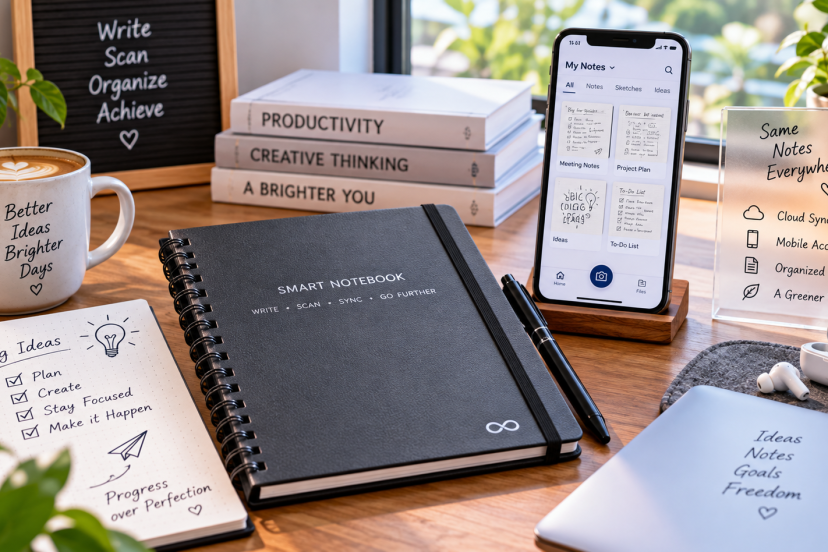
If you still like writing by hand but hate losing notes in random notebooks, a smart notebook can be a surprisingly useful upgrade. Some models feel almost exactly like ordinary paper but let you scan notes to the cloud, while more advanced options use E Ink displays, searchable notebooks, handwriting conversion, and stylus input.
I compared reusable notebooks, digital writing tablets, and planner-focused models to find options that actually suit different kinds of users. Whether you’re taking college notes, planning projects, sketching ideas, or sitting through back-to-back meetings, there should be something here that fits.
Our Top Picks
| Product | Best For | Key Feature | Rating | Read More |
| Rocketbook Multi-Subject | Students | Reusable sections and dividers | ★★★★⯪ | Read review |
| Rocketbook Panda Planner | Planning | Daily, weekly, and monthly layouts | ★★★★⯪ | Read review |
| reMarkable 2 | Premium digital notes | Paper-like E Ink writing | ★★★★⯪ | Read review |
| Kindle Scribe | Reading + notes | Kindle reader with handwriting | ★★★★⯪ | Read review |
| HUION Note X10 | Paper-to-digital notes | Real paper with digital capture | ★★★★☆ | Read review |
| Rocketbook Fusion | Everyday productivity | Seven page templates | ★★★★⯪ | Read review |
| Rocketbook Core | Best value | Simple reusable pages | ★★★★☆ | Read review |
| Rocketbook Mini | Pocket notes | Compact reusable design | ★★★★⯪ | Read review |
| Rocketbook Pro 2.0 | Professionals | Premium modular design | ★★★★⯪ | Read review |
| XPPen Magic Note Pad | Creative users | Full-color digital handwriting | ★★★★⯪ | Read review |
Top 10 Smart Notebook Options
1. Rocketbook Multi-Subject Smart Notebook — Best Overall

The Rocketbook Multi-Subject is one of the easiest smart notebooks to recommend for students and professionals who normally carry several notebooks. It offers reusable pages plus adjustable dividers, so one notebook can handle different subjects, clients, or projects.
You write with compatible Pilot FriXion pens, scan anything you want to keep with the Rocketbook app, then wipe the pages clean. The current model has around 70 pages and can be divided into multiple sections. Tracked product data shows roughly a 4.5-star rating from more than 2,000 reviews.
Key features: Reusable pages, adjustable dividers, Rocketbook app, cloud integration
Best for: Students and professionals managing multiple subjects
Pros: Plenty of pages; customizable sections; easy digital archiving
Cons: Requires FriXion pens; pages need occasional cleaning
Why I recommend it: It solves one of the biggest problems with reusable notebooks—having too few pages for several projects.
2. Rocketbook Panda Planner — Best for Planning

The Panda Planner combines reusable notebook technology with structured productivity pages. Instead of giving you only blank or lined sheets, it includes layouts for daily, weekly, and monthly planning.
That makes it especially useful for people who like physically writing goals and schedules but don’t want to keep buying dated planners. Amazon-linked review data has shown the Panda Planner around the mid-four-star range with thousands of customer reviews.
Key features: Daily, weekly and monthly layouts, reusable pages, cloud scanning
Best for: Goal setting and personal productivity
Pros: Structured templates; reusable; excellent for routines
Cons: Less flexible than a blank notebook; FriXion pens required
Why I recommend it: The layouts give you enough structure to stay organized without forcing everything into a phone app.
3. reMarkable 2 — Best Premium Smart Notebook

If your idea of a smart notebook is a completely paperless device, the reMarkable 2 is still one of the strongest choices. Its 10.3-inch E Ink screen is designed primarily for handwriting, PDF annotation, sketching, and distraction-free note-taking.
Notes can be organized into folders and tags, converted from handwriting to text, and synced across devices. Current Amazon-tracked data places the reMarkable 2 around the mid-4-star range with well over 500 reviews.
Key features: 10.3-inch E Ink display, handwriting conversion, PDF annotation, cloud syncing
Best for: Professionals replacing paper notebooks entirely
Pros: Excellent writing feel; distraction-free interface; strong organization
Cons: Expensive; accessories add to the cost
Why I recommend it: Few devices stay as focused on writing as the reMarkable 2.
4. Amazon Kindle Scribe — Best for Reading and Note-Taking

The Kindle Scribe makes more sense than a dedicated digital notebook if you already spend a lot of time reading ebooks.
Along with Kindle reading features, the Scribe supports handwritten notebooks, document annotation, and handwriting tools. Amazon also offers notebook summarization and writing-refinement features on supported Scribe models.
Current ratings remain strong, with recent data showing the device comfortably above the four-star mark.
Key features: E Ink display, Kindle library, Premium Pen, notebooks, document annotation
Best for: Readers, students, and researchers
Pros: Reading and writing in one device; long battery life; large display
Cons: Less flexible than Android-based tablets
Why I recommend it: It replaces both an e-reader and a notebook without adding typical tablet distractions.
5. HUION Note X10 — Best Paper-to-Digital Notebook

The HUION Note X10 takes a different approach: you still write on actual paper.
Its smart cover detects your pen strokes and transfers them digitally, giving you the tactile feel of a normal notebook while preserving a digital copy. It can also store notes offline and synchronize them later.
Tracked marketplace data puts it around ★★★★☆ with hundreds of reviews.
Key features: Real paper, Bluetooth syncing, offline storage, battery-free pen
Best for: People unwilling to give up regular paper
Pros: Natural writing feel; digital backup; useful for sketches
Cons: More setup than a basic reusable notebook
Why I recommend it: It offers one of the better compromises between traditional handwriting and automatic digital capture.
6. Rocketbook Fusion — Best for Everyday Productivity

The Rocketbook Fusion sits somewhere between a notebook and a planner. Its different page styles cover tasks, calendars, planning, ideas, and ordinary notes.
That’s handy if your workday jumps between meetings, brainstorming, and scheduling. Customer data across current retail listings consistently keeps the Fusion in the mid-four-star range.
Key features: Seven page styles, reusable pages, cloud scanning
Best for: Office work and everyday organization
Pros: Versatile templates; reusable; easy scanning
Cons: Limited pages of each template type
Why I recommend it: It gives you more structure than the Core without becoming a full planner.
7. Rocketbook Core — Best Value Smart Notebook

The Rocketbook Core keeps things simple: write, scan, erase, repeat.
The latest Core offers reusable paper, Smart Titles, Smart Tags, and integration with the Rocketbook app. Letter and Executive sizes are available, with lined or dot-grid layouts depending on your preference.
Key features: Reusable pages, Smart Titles, Smart Tags, cloud destinations
Best for: First-time smart notebook buyers
Pros: Affordable; straightforward; several sizes available
Cons: Few built-in planning templates
Why I recommend it: If you mainly want searchable handwritten notes without buying an electronic tablet, the Core does the job nicely.
8. Rocketbook Mini — Best Pocket Smart Notebook

The Rocketbook Mini is essentially a pocket-sized version of the reusable notebook concept. Its roughly 3.5-by-5.5-inch footprint makes it much easier to keep beside you than a full Letter-size notebook.
It still supports reusable pages and Rocketbook cloud scanning.
Key features: Pocket size, reusable pages, Rocketbook scanning
Best for: Quick ideas and on-the-go notes
Pros: Very portable; inexpensive; simple
Cons: Too small for lengthy meeting notes
Why I recommend it: It’s ideal for people whose best ideas seem to appear precisely when their normal notebook is somewhere else.
9. Rocketbook Pro 2.0 — Best for Professionals

The Rocketbook Pro 2.0 gives the reusable notebook concept a more polished business look. Its modular page-pack system is useful if you want to swap layouts instead of carrying several notebooks.
Early customer ratings have been strong, although the review pool is smaller than established models like the Core or Multi-Subject.
Key features: Modular pages, professional cover, reusable paper, cloud scanning
Best for: Meetings and client-facing work
Pros: Premium appearance; replaceable page packs; reusable
Cons: More expensive than standard Rocketbooks
Why I recommend it: It feels more appropriate in professional meetings than most spiral-bound reusable notebooks.
10. XPPen Magic Note Pad — Best for Creative Note-Taking

The XPPen Magic Note Pad is closer to a full digital sketchbook than a traditional reusable notebook.
Its biggest advantage is flexibility. You can handwrite notes, sketch, work in color, and use digital tools without being restricted to scanned paper pages. Current owner reviews from the manufacturer sit around 4.7 stars, although its review volume is much smaller than mainstream Rocketbook options.
Key features: Digital handwriting, color display, stylus input, drawing tools
Best for: Artists, designers, and visual note-takers
Pros: Excellent creative flexibility; color; no scanning required
Cons: Costs significantly more than reusable paper notebooks
Why I recommend it: It’s the better choice when your notes regularly include diagrams, sketches, color coding, and visual ideas.
How to Choose the Best Smart Notebook
Start by deciding whether you want real handwriting on reusable paper or a fully digital writing surface.
Rocketbook models are cheaper and feel closer to ordinary notebooks. You write first and digitize only the pages worth keeping. Devices such as the reMarkable 2 and Kindle Scribe cost substantially more, but every page is digital from the beginning.
Students should also consider organization. A Multi-Subject model with movable dividers makes more sense for several classes, while structured planners work better for schedules and goals.
Finally, think about retrieval. Digitizing notes is most useful when you can actually find them later. Building good capture and recall habits matters just as much as buying the notebook itself; this guide to improving working memory and focus offers several practical strategies that pair naturally with structured note-taking.
Final Thoughts
The best smart notebook depends less on how much technology it packs in and more on how you actually take notes. The Rocketbook Multi-Subject is my overall pick for most students and busy professionals because it’s affordable, reusable, and flexible. Choose the reMarkable 2 if you want to eliminate paper almost completely, or the Kindle Scribe if reading is equally important. Whichever route you take, the real advantage is simple: your handwritten ideas become easier to organize, save, search, and use again instead of disappearing into a forgotten notebook.
FAQs
What is a smart notebook?
A smart notebook combines handwriting with digital organization. Depending on the model, it may scan handwritten pages through an app, automatically capture pen strokes, or provide a fully digital E Ink writing surface.
Are smart notebooks worth buying?
Yes, particularly if you write frequently but also want searchable or backed-up digital notes. Reusable models can also reduce the number of paper notebooks you need to buy.
Can you erase and reuse a smart notebook?
Reusable notebooks such as Rocketbook models can be wiped clean when used with compatible FriXion ink. Fully digital notebooks simply let you erase pages electronically.
What is the best smart notebook for college students?
The Rocketbook Multi-Subject is especially practical for college because its adjustable dividers allow multiple classes to share one reusable notebook. Students who also read many digital textbooks may prefer the Kindle Scribe.
Do smart notebooks convert handwriting to text?
Some do. Digital devices such as reMarkable support handwriting conversion, while notebook apps may provide OCR or searchable handwritten scans. Accuracy varies depending on handwriting quality and the software being used.